Getting Started
Charging
Use the included charging cable to recharge your sensor while in the ball
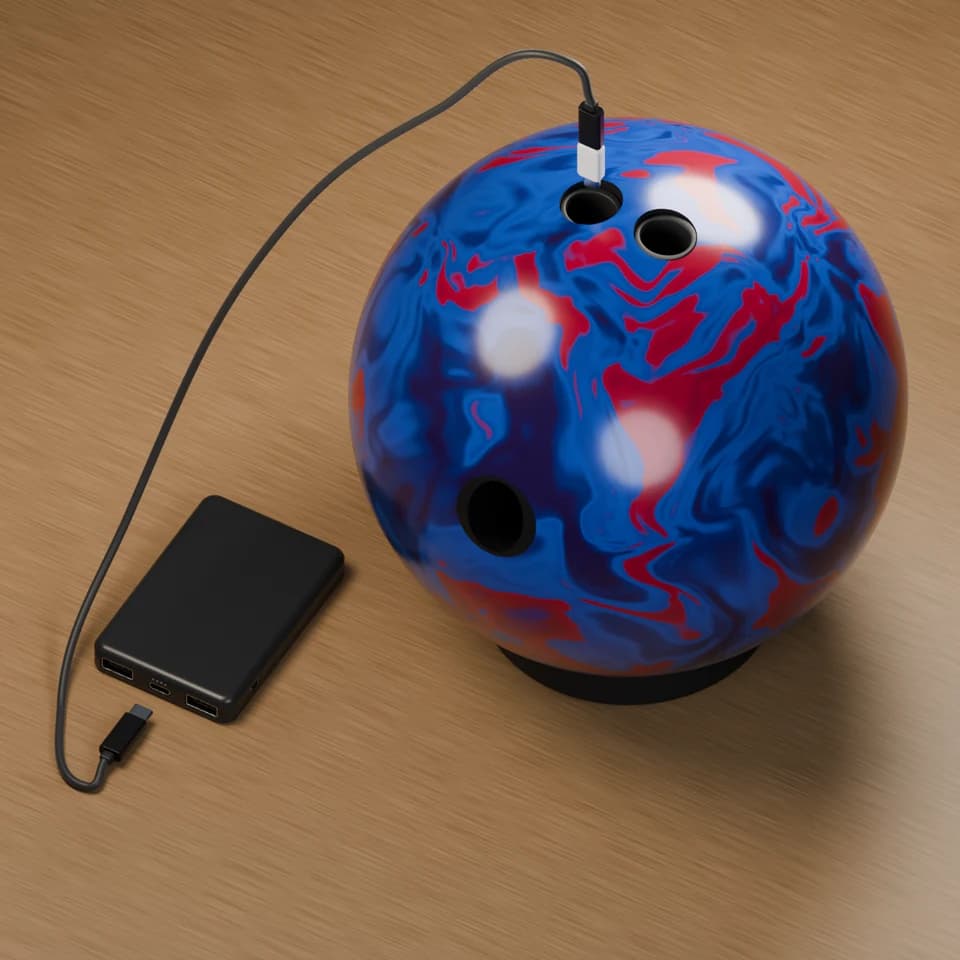
Charge sensor in the ball
Black cable end
Plug into the center port on the power bank
White cable end
Plug into the sensor inside the ball
The included charging cable is designed to charge the sensor while inside the ball.
Plug the white side of the cable into the sensor. Plug the black side of the cable into the center port of the included power bank.
The LED will glow green when charging and turn off when fully charged.
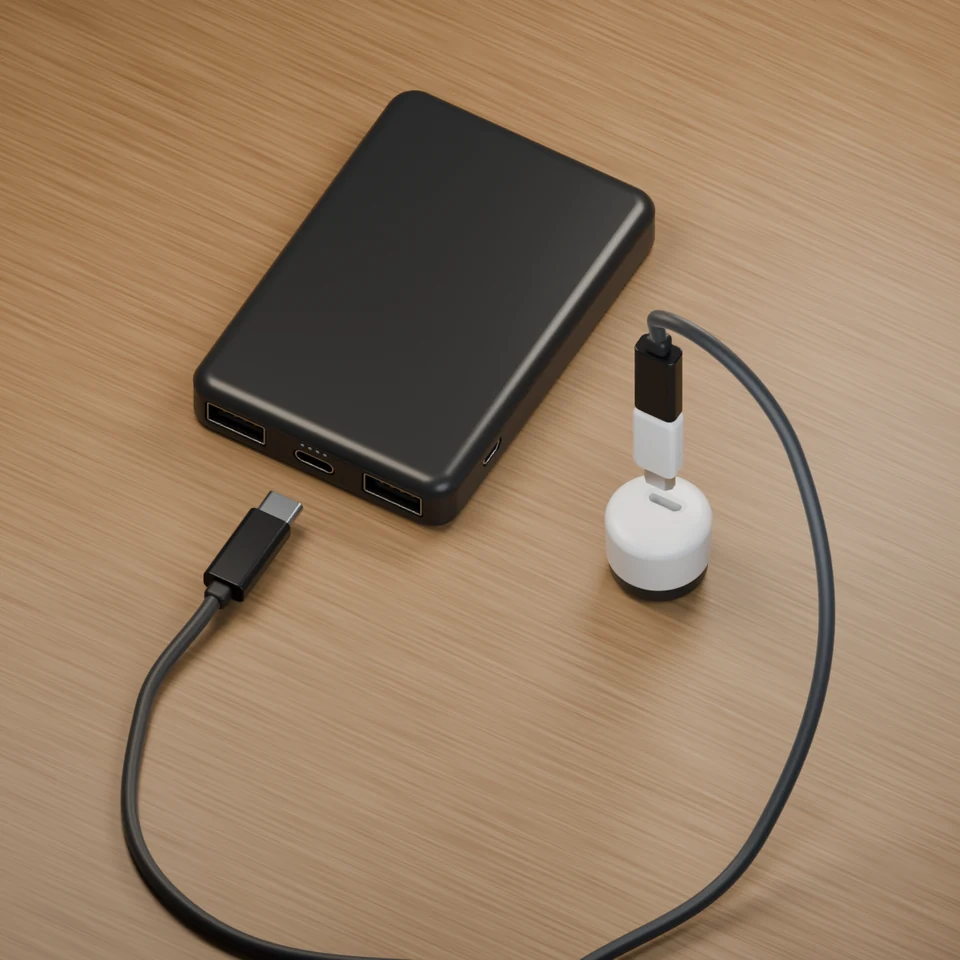
Charge sensor outside the ball
Black cable end
Plug into the center port on the power bank
White cable end
Plug into the sensor